
Choosing small business accounting software a guide
For a small business, managing finances effectively is like maintaining a healthy central nervous system; it’s essential for every other function to operate correctly. Yet, many entrepreneurs start by wrestling with cumbersome spreadsheets or even manual ledgers, quickly becoming overwhelmed. Selecting the right small business accounting software is one of the most foundational decisions you can make. This isn’t just about bookkeeping; it’s about gaining clarity, ensuring compliance, and building a scalable financial backbone for your company’s future. A great platform can transform financial chaos into a strategic asset that guides your growth.
Why Your Choice of Accounting Software Matters More Than You Think
Choosing your accounting software is not a simple administrative task—it’s a strategic one. The right platform provides a real-time snapshot of your business’s health, answering critical questions like: Are we profitable? What is our cash flow situation? Which service is our biggest money-maker? As the U.S. Small Business Administration (SBA) emphasizes, proper accounting is vital for securing loans, making informed decisions, and fulfilling tax obligations. Neglecting this choice can lead to costly errors, missed growth opportunities, and immense stress during tax season. In contrast, a well-implemented system becomes your trusted source of truth for all financial matters.

The 7 Vital Considerations for Choosing Your Software
The market is filled with options, each promising to be the perfect solution. To cut through the noise, focus on how a platform’s features align with your specific business needs. Use these seven considerations as a strategic checklist to guide your decision-making process.
1. Core Features and Business Needs
Before looking at any specific brand, list your non-negotiable needs. At a minimum, most businesses require invoicing, expense tracking, bank reconciliation, and the ability to generate key financial reports (like a Profit & Loss statement and Balance Sheet). Does your business require more specialized features like inventory management, project costing, or multi-currency support? A clear list of your “must-haves” will quickly narrow the field.
2. Scalability: A Tool for Today and Tomorrow
The software that works for you as a solo freelancer may not be adequate once you hire your first employee or expand your product line. Think about your 3-to-5-year plan. Will you need to add payroll services? Will you require advanced reporting and analytics? Choosing a small business accounting software with tiered plans allows you to start with a basic, affordable option and seamlessly upgrade as your business complexity grows, avoiding the major headache of migrating your entire financial history to a new system later.
3. Ease of Use and Learning Curve
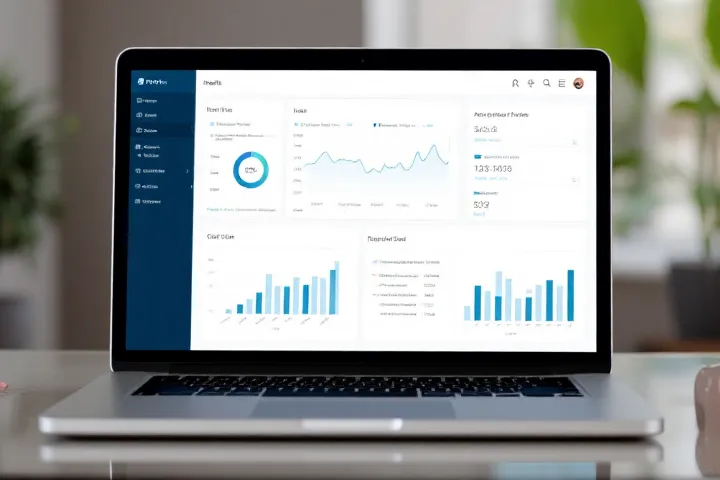
The most feature-rich software in the world is useless if it’s too complicated to use consistently. Look for a clean, intuitive dashboard that gives you a quick overview of your financial health. A steep learning curve can lead to procrastination and errors. Many top providers, as reviewed by reputable sources like Business News Daily, invest heavily in user experience to make accounting less intimidating for non-accountants.
4. Integration Capabilities
Modern businesses run on a collection of tools, and your accounting software should be a team player. Its ability to integrate with other platforms is crucial for automation and efficiency. Check for integrations with your payment processor (like Stripe or PayPal), your e-commerce platform (like Shopify), and your CRM. Seamless integration eliminates manual data entry, saves hours of administrative work, and reduces the risk of human error.
5. Security and Cloud Accessibility
Your financial data is incredibly sensitive. Any cloud-based accounting solution must offer bank-level encryption and robust security protocols. Cloud accessibility itself is a major advantage, allowing you to send an invoice from your phone, check your cash flow from home, or grant remote access to your bookkeeper or CPA. This flexibility is a hallmark of modern, agile business operations. The American Institute of CPAs (AICPA) provides resources that underscore the importance of internal controls and data security in financial systems.
6. Customer Support and Resources
When you have a question about categorizing an expense or running a specific report, you need reliable support. Investigate the type of support offered—is it limited to email, or can you access phone or live chat support? Additionally, look for a comprehensive knowledge base with tutorials, webinars, and community forums. Strong customer support is a lifeline when you’re navigating the complexities of business finance.
7. Pricing and Total Cost of Ownership
Look beyond the advertised monthly price. Are there setup fees or additional charges for extra users or payroll integration? Does the company require a long-term contract, or is it a month-to-month subscription? Consider the total cost of ownership over a year. While free software can be tempting, the small monthly fee for a paid plan often provides a massive ROI in terms of saved time, advanced features, and peace of mind.

A Practical Example: How a Small Bakery Chose its Path
Consider “The Rolling Pin Bakery,” a small startup. The owner, Sarah, initially tracked sales and expenses in a detailed spreadsheet. As orders grew, she found herself spending nearly 10 hours a month on manual bookkeeping. When she decided to hire her first employee, she knew she needed a real system. Using the seven considerations, she evaluated her options. She needed invoicing, expense tracking, and critically, payroll and basic inventory tracking for flour and sugar. She chose a mid-tier plan from a well-known provider for about $50 a month. In the first three months, the software saved her over 25 hours of administrative work—time she reinvested in developing new recipes. The financial reports also revealed that her custom cakes were far more profitable than her daily bread sales, allowing her to adjust her marketing focus and boost profits.
Insight from a Certified Public Accountant (CPA)
We spoke with David Chen, a CPA with 20 years of experience helping small businesses establish their financial systems. “The most common mistake I see is clients choosing software in a vacuum,” David notes. “My best advice is to ask your accountant what they prefer to work with. When a client uses a platform I’m familiar with, like QuickBooks Online or Xero, it makes collaboration seamless. I can log in, review their books, and prepare for tax season with incredible efficiency. This saves the client significant money in billable hours and ensures their financial data is clean and accurate.”
Care, Caution, and Recommendations
While modern software is powerful, it’s not foolproof. The principle of “garbage in, garbage out” applies; you must be diligent about correctly categorizing income and expenses. Relying solely on bank feeds without regular review and reconciliation can lead to significant errors. We recommend dedicating a specific time each week to review and categorize transactions. Ensure you understand the difference between cash-basis and accrual-basis accounting and have set up your software correctly, a concept that financial education resources like Investopedia explain in detail.
Alert: Be cautious of “free” accounting software that has significant limitations on transactions or invoicing, or lacks a clear security policy. Your financial data is a core business asset; investing in a reputable, secure platform is a non-negotiable cost of doing business responsibly.
By thoughtfully applying these considerations, you can select a tool that not only simplifies your bookkeeping but also provides the insights needed to grow your business intelligently. Taking the time to make a well-researched decision now will pay dividends for years to come.
Frequently Asked Questions (FAQ)
Do I need accounting software if I’m just a freelancer?
Yes, absolutely. Even as a freelancer, you need to send professional invoices, track expenses for tax deductions, and understand your profitability. A simple, affordable plan can save you dozens of hours and help you maximize your tax write-offs.
Can I switch accounting software later if I don’t like my first choice?
Switching is possible, but it can be a complex and time-consuming process that often involves manually exporting and importing data. It’s far better to invest time upfront to choose a scalable solution that can grow with you.
What’s the difference between cloud-based and desktop accounting software?
Desktop software is installed on a single computer, and your data is stored locally. Cloud-based software is accessed through a web browser, and your data is stored securely online, allowing you to access it from any device and easily collaborate with your accountant.
Should my accountant have access to my software?
Yes. Granting your accountant access is one of the biggest benefits of modern cloud accounting software. It allows them to review your books, answer questions, and prepare tax returns efficiently without you needing to send them large data files.
How much should I expect to pay for small business accounting software?
Plans can range from free (for very basic needs) to over $150 per month for advanced features. Most small businesses find that a plan in the $30 to $60 per month range, as detailed by reviewers like Forbes Advisor, offers the best balance of features and value.
Ultimately, choosing the right small business accounting software is about building a foundation for financial clarity and strategic growth. It transforms a daunting administrative chore into a powerful tool for understanding your business and making smarter decisions. This initial investment of time and resources will be one of the most valuable you make on your entrepreneurial journey.
Related posts:
 Incorporating Your Small Business: Advantages and Considerations
 Strengthening Business Integrity: The Role of Internal Control
 Crafting an Impactful Resume: Four Essential Steps
 Unlocking the Benefits: Incorporating a Company Offshore
 Mastering Leadership in Turbulent Times: Five Invaluable Strategies
 Maximize Your Consulting Income: Diversification Strategies for Success